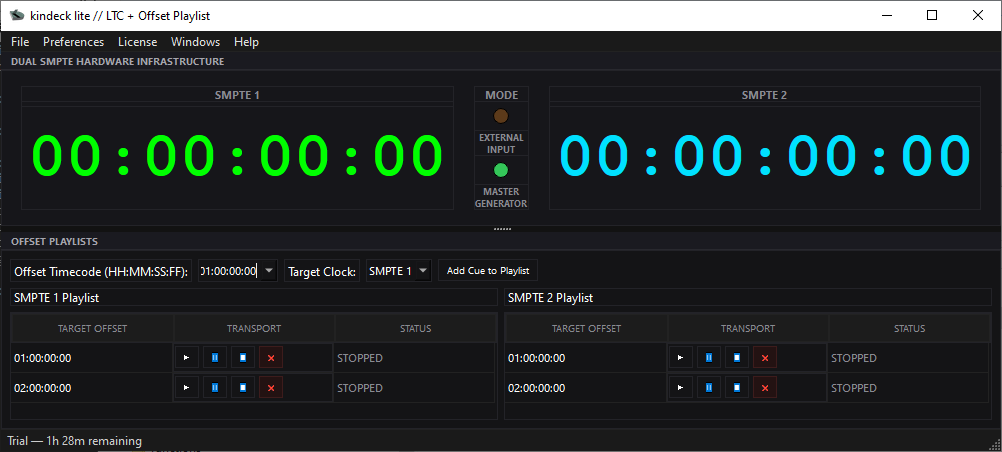
kindeck lite generates and decodes real LTC in real time — no need to build audio tracks ahead of time. Two completely independent signal chains, each with its own Offset Playlist, and MIDI trigger from your own controller.
Installer for Windows 10. 2-hour free trial, no account or card needed.
No hidden menus, no unnecessary setup — what you see is what runs in the show.
Real LTC, generated and decoded by the software on the spot — no need to bring a pre-recorded timecode audio track. Whatever runs the show, kindeck generates it. Frame rate of your choice — 23.976, 24, 25, 29.97 NDF/DF, or 30 — with real Drop Frame, the same standard used by industry-reference generators.
SMPTE 1 and SMPTE 2 share nothing — each with its own Offset Playlist, its own mode, and its own audio configuration. Two independent shows running in parallel if you need it.
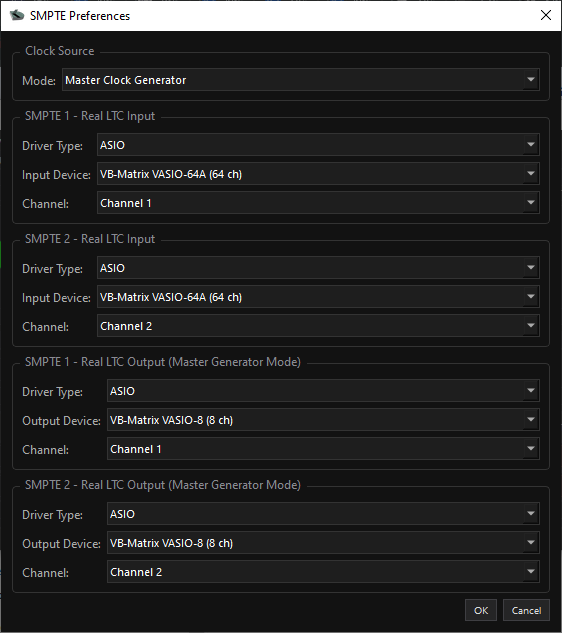
Big show, with an audio interface: each SMPTE signal picks its own ASIO driver and device — the latency a live show demands, with no sharing a generic driver between the two. Everything on the same computer: no physical interface needed, routing through a virtual audio cable, to drive local triggers and control other software right from the same machine. Configurable sample rate (44.1k/48k/96k/192kHz or custom), or automatic.
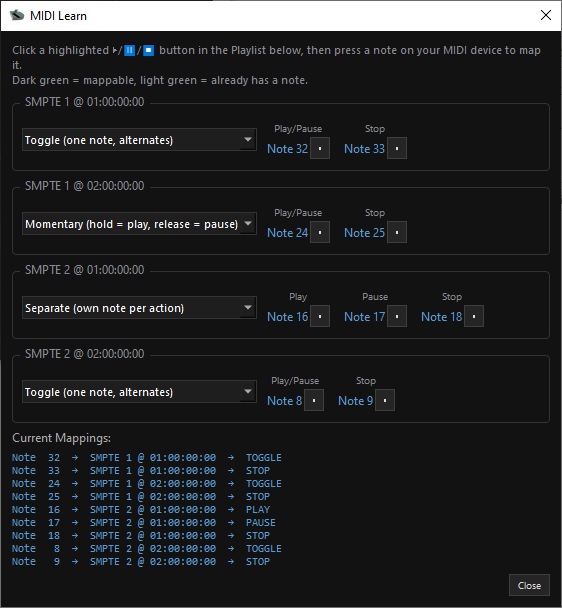
Click the button you want to map in the app, hit the note, done. Three different trigger modes — see the detail below ↓
MIDI mappings and clock mode are saved in the show file, not on the PC. Open the same show on another computer and everything is exactly as you left it — and if you try to close with unsaved changes, it warns you before you lose anything.
Activates once, online, then runs offline — with a 30-day grace period before it asks to reconnect. A show doesn't stop because of a signal problem.
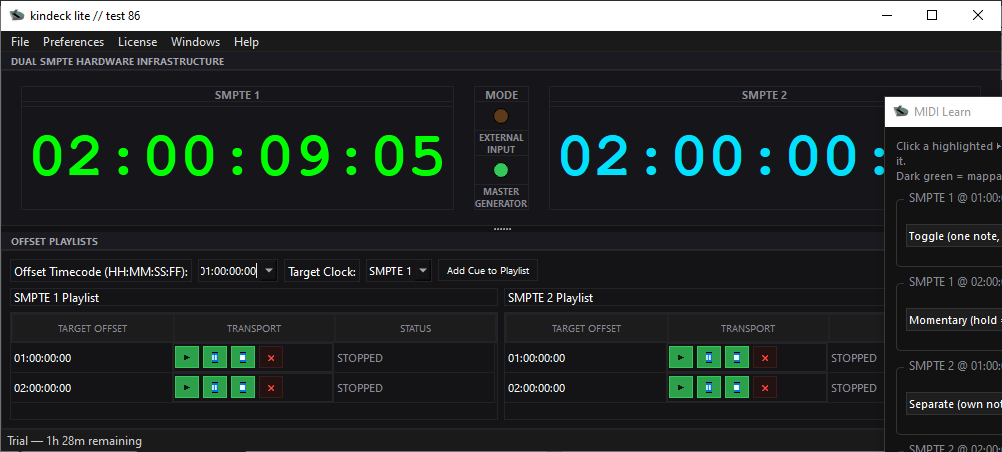
No config menu: click the button you want to map right in the Playlist, hit the note on your controller, and it's set.
A single note alternates between Play and Pause, based on the cue's actual state at that moment.
Just like a piano key: held = play, released = pause. Ideal for passages you only want running while your finger is on the pad.
Each action — Play, Pause, Stop — gets its own dedicated note, nothing alternates.
Dark panel, built for the control booth — no distractions, with show info always in view.
No subscription. Instant online activation.
No. It activates once, online, and then works offline. It quietly re-confirms the license in the background whenever wifi is available, but tolerates up to 30 days without it before asking to reconnect — built for large-scale events, festivals, and venues where the connection isn't reliable.
Yes — any controller that speaks standard MIDI (pads, keyboards, control surfaces). No setup needed beforehand: pick your device, click the button you want to map in the app, and hit the note.
Yes, anytime — deactivate the current machine from within the app itself and activate on the new one with the same code, no need to write to us.
Windows 10, with an installer and setup wizard.
No. kindeck lite doesn't process video or use the GPU — the real work is generating and decoding an audio signal, so it runs smoothly on any reasonably modern Windows 10 PC. It works in two scenarios: with professional external control, using an audio interface with real ASIO drivers for the lowest possible latency; or fully internally, no physical interface needed, routing through a virtual audio cable — there it's confirmed working with WASAPI, DirectSound, and MME in addition to ASIO.